How to Set Up a Productive Dorm Room Desk in a Small Room
Most dorm rooms come with a desk. The problem is that many of those desks quickly become storage surfaces instead of study spaces. Within a few weeks, notebooks, chargers, snacks, laundry, and random clutter compete for space where actual work is supposed to happen.
A productive desk set up in a dorm room isn’t about having expensive equipment. It’s about making it easy to sit down and start working without spending five minutes clearing space first.
In a small dorm room, the desk often becomes the center of daily life. It’s where assignments get done, online classes happen, projects get finished, and for many students, it’s also where gaming, streaming, and socializing take place. Setting it up properly has a bigger impact on the room than almost any other organizational change.
Start with the Desk Position
Most dorm desks are fixed or semi-fixed. They sit where the school put them and moving them significantly isn’t always practical or permitted. The first step is making the existing position work as well as possible.
A desk that faces a blank wall feels oppressive but works well for focus. Add a pegboard or a row of shelves on the wall in front of you and the surface becomes a functional workspace rather than just a table facing nothing.
One thing that becomes obvious after spending time in a small dorm room is that when the line between the study area and sleeping area blur, both become less effective. A low visual divider between the desk and the bed, a small bookcase or a tall plant, creates enough separation to make the desk feel like a distinct zone.
A desk in a corner has limited natural light but maximum wall space on two sides for storage and organization.
If the desk can be moved, place it:
- Near a window for natural light
- Away from the bed as the room allows
- Against a wall that allows vertical storage above it.
Keep the Desk Surface Up for Work
The desk surface is a workspace. Everything that isn’t actively being used for the current task doesn’t belong on it. This sounds obvious but most dorm desks become the default landing spot for everything that arrives in the room without an obvious home, which means the desk is buried within a week of move-in.
Create a study-ready setup
Take everything off the desk and put back only what gets used daily. A laptop or monitor, a notebook, a pen. Everything else gets a home on a shelf, in a drawer or in a container beside the desk. A clear surface isn’t an empty surface. It’s simply reserved for things actively being used.
The fewer steps required before starting work, the more likely you’ll actually sit down and begin.
Raise the Screen and Create More Space
A laptop stand or monitor riser is one of the simplest upgrades for a small dorm desk. Raising the screen to eye level with a monitor stand or laptop riser does two things. It improves posture, which matters for anyone spending several hours a day at the desk. And it creates usable storage underneath the stand for a keyboard, a notebook or small supplies.
In a small space, creating a second storage layer is often better than buying a larger desk.
Vertical Storage Above and Beside the Desk
In most dorm rooms, the wall above the desk is completely unused. That’s a mistake.
The area directly above the desk is some of the most valuable storage space in the room because it keeps essential items accessible without consuming desk space.
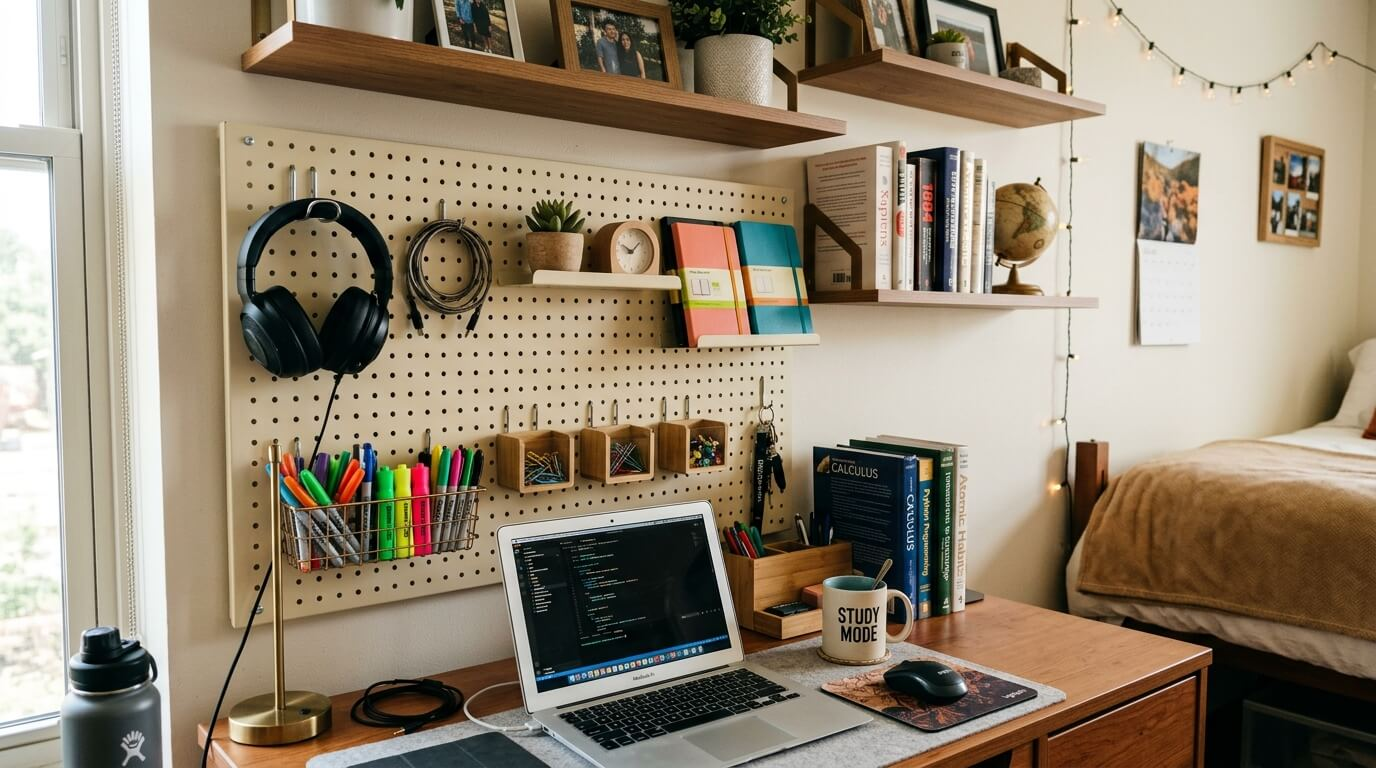
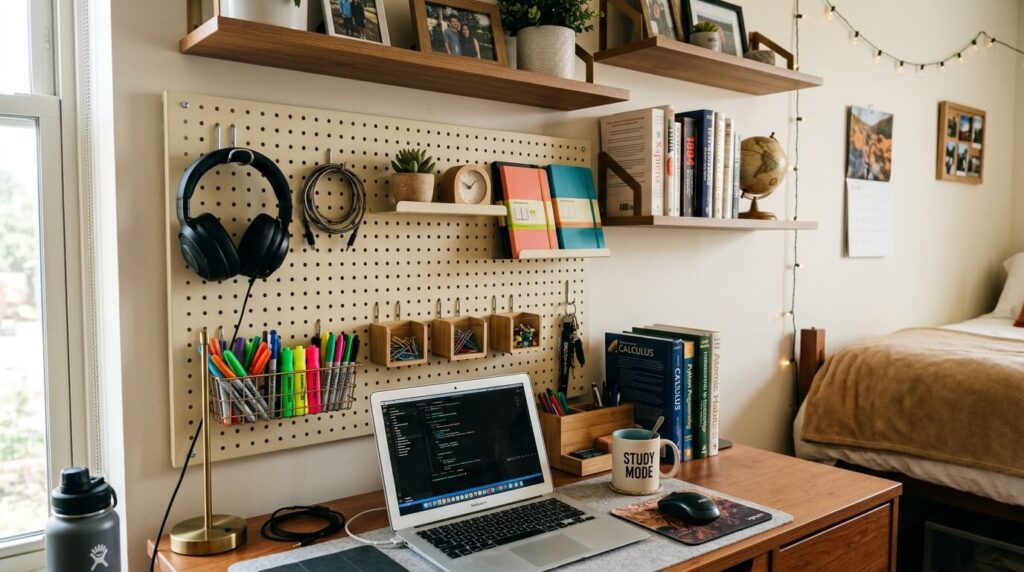
Floating shelves above the desk
A row of floating shelves above the desk handles books, binders, and supplies at eye level and within arm’s reach. Mounted with adhesive strips in rooms where drilling isn’t allowed, they hold a useful amount at a weight rating that suits most study materials.
Two or three shelves stacked above the desk effectively give the workspace a wall-mounted bookcase without the floor footprint. The guide to the best floating shelves for dorm rooms covers the no-drill options with the specific weight ratings and dimensions that suit most dorm desk walls.
Pegboards for flexible organization
A pegboard on the wall above or beside the desk is one of the most adaptable storage solutions available for a small dorm desk setup.
Hooks hold headphones, bags and cables. Small shelves hold stationery, a phone stand or a small plant. Clips hold notes and reminders. Unlike fixed storage, the configurations can be rearranged throughout the semester as needs shift.
Adhesive-mounted pegboards work in no-drill situations and handle a useful amount at standard dorm wall surfaces. For the specific products that work in dorm rooms, the post on the best dorm room pegboards for vertical storage covers dimensions, weight ratings and setup.
Add Storage Beside the Desk
A slim rolling cart beside the desk adds several drawers worth of storage without taking up much room. It handles supplies, cables, snacks, notebooks and the miscellaneous items that would otherwise end up on the desk surface.
The advantage is flexibility since it can be rolled out when needed and tucked away when not.
The post on the best rolling carts for dorm storage covers the specific dimensions that fit most dorm desk setups without blocking the chair and some of the best options you can go for.
Get the Lighting Right
A dorm room’s overhead light is rarely positioned well for desk work. It creates shadows across the work surface and eye strain during long study sessions.
A dedicated LED desk lamp positioned to the left for right-handed users and to the right for left-handed users eliminates the shadow problem and makes the desk feel like a proper workspace rather than a corner of the bedroom.
LED desk lamp with adjustable color temperature is one of the highest-value upgrades you can make. You can switch between cooler white light suited for focused study or warmer light for evening reading and relaxing. A lamp that adjusts between the two handles the full range of how the desk gets used across a day.
If the desk space is limited, choose a clip-on lamp that attaches to a shelf or monitor stand.
Manage Cables Before They Become a Problem
Messy cables make even an organized desk feel cluttered. One of the easiest ways to make a dorm room desk look cleaner is to deal with cable management immediately rather than waiting until cords have accumulated.
A cable management tray under the desk surface holds the power strip and excess cable length out of sight. Velcro cable ties bundle individual cables into neat runs. A cable clip along the back edge of the desk routes cables from the monitor and peripherals to the tower or the wall without them trailing across the surface or dropping to the floor.
Twenty minutes of cable management on setup day is worth months of a tidier-looking desk.
Setting Up a PC or Dual Monitor Desk in a Dorm Room
A desktop PC or a dual monitor setup takes up significantly more desk space than a laptop. Getting it right in a small dorm room requires more deliberate planning than a standard laptop setup.
Use Monitor arms
A single monitor needs at least 60cm of desk depth to sit at a comfortable viewing distance. Most dorm desks are around 60cm deep, which works for one monitor but leaves very little room for anything else on the surface.
A monitor arm rather than a stand solves this immediately. It mounts to the back edge of the desk and holds the monitor at the right height and depth without the stand base taking up surface space, which recovers the full depth of the desk for a keyboard, mouse and working materials.
Keep dual monitors practical
Two monitors in a small dorm room are manageable if the desk is wide enough. Most dorm desks are 90 to 120cm wide, which fits two standard monitors side by side with monitor arms. Without arms, two monitors with bases take up so much surface space that there’s nowhere left to actually work.
As such, monitor arms are non-negotiable for a dual setup in a tight space. Stack them vertically rather than side by side if width is the constraint, one monitor above the other on a dual arm, which keeps the horizontal footprint of a single monitor while doubling the screen area.
Create a Setup That Works for Both Studying and Gaming
Gaming gear is part of dorm life and there’s no point pretending otherwise. The best approach is not trying to separate the two entirely but making it easy to switch between them.
Store gaming accessories such as controllers, headsets, and charging docks on shelves, pegboards, or rolling carts when they are not being used.
The desk surface should remain available for studying without requiring a major reorganization every time you switch activities.
Small Accessories That Help in Setting up a Productive Dorm Room Desk
Some of the most useful dorm desk upgrades are also some of the smallest. A few additions that consistently improve functionality include:
- Laptop stands
- Monitor arms
- Surge protectors
- Cable trays
- Headphone hooks
- Desk lamps
- Rolling carts
None of these takes up much room individually, but together they create a workspace that feels significantly more organized and easier to use.
A Good Desk Setup Makes the Whole Room Work Better
The desk is where most of the day happens in a dorm room. When it works well, studying is easier, clutter has fewer places to accumulate, and the entire room feels more organized. When it doesn’t, everything else becomes harder.
Start with a clear surface, add storage above and beside it, improve the lighting and manage the cables from day one. A few hours spent setting up the desk properly at the beginning of the semester pays off every day afterward.
For the full picture of getting a small dorm room organized from every angle, how to organize a small dorm room with limited space covers the complete room alongside the desk setup.


